Current plan
Subscription
Plan amount
—
Current period
—
Renews on
—
Billing period progress0%
Enrolled with another email?
Use the email connected to your existing subscription.
A clean, secure space for lessons, assignments, feedback, and progress.
Connecting...

Use your student email to continue.
Enter the student name exactly as it was used when the account was created.
Confirm this student account to continue.
Student name
Age
Enter the four-digit code sent to
OTP valid for 5:00
Please wait a moment...
Your student account is ready.
Choose your country and enter your mobile number.
Enter the 6-digit code sent to your phone.
© 2026 Chitran International Online Art Classes, LLC

...
Dear student, please fill in your details to reach 100%.
Complete ProfileClass schedule is not available yet.
Please contact the Chitran team by WhatsApp or email to confirm your next live class time.
Meet your instructor, learn in real time, and build your next creative milestone.
Official instructor-led session
Loading today’s attendance…
Follow the road to master your art!
Uploading...
Click to upload or drag and drop
Original size & quality preserved
Every picture tells your creative story. Keep making and growing!
Collect badges as you learn, practice, and complete new milestones in Course.
Your earned badges and the milestones waiting ahead.
Review assignments and teacher feedback.
No assignments available for this period.
A gallery made by our student artists.
Inspire other students & get inspired
Share encouragement, discover creativity, and grow together.
No artwork here yet
New student creations will appear automatically.
Social activity and class reminders
New activity will appear here.
Your creative journey, achievements, and learning identity—all in one place.
Manage your student account
Attendance for Student · verified class activity
Choose the dates to include in your report.
Every verified live-class attendance date.
Total present
0 sessions
This month
Manage your subscription and billing history.
Loading secure billing details…
Connecting your account to Stripe
Current plan
Plan amount
—
Current period
—
Renews on
—
Enrolled with another email?
Use the email connected to your existing subscription.
Payment methods
Customer details
Billing history
No paid receipts found
Everything in your student portal
By continuing, you agree to the platform terms and privacy policy.
Update your student profile information
Likes and comments
Scanning student face and artwork...
Starting Camera...
You must complete the previous lesson's artwork to unlock this class.
Account notice
This feature is available with an active plan.
Enter the email address connected to the subscription you want to view.
A simple guide to your learning portal.
Dashboard shows your next class, activity, progress, and Upcoming Schedule. On mobile, use Home, Gallery, Join, Social, and More. More contains Notifications, Achievements, Profile, Billing, Student Guide, and Logout.
Open Join to see the countdown and enter class. Confirm your timezone so the time is correct. If no schedule appears, Send schedule request adds your name and portal email to a WhatsApp request.
After class, upload a clear, straight photo in good light. Keep the complete page visible so your teacher can review it accurately.
Gallery keeps artwork, scores, approvals, and teacher feedback together. When a correction is requested, update the drawing and submit the corrected version from that artwork.
Explore student artwork, encourage artists with likes and comments, follow replies, view My Social, and discover artist rankings. Social activity also appears in Notifications.
Badges, coins, scores, and level progress recognize learning activity and completed milestones across the course.
Check artwork likes, comments, replies, teacher activity, and class reminders. Open an item to review the related update.
Keep the student name, email, WhatsApp number, country, profile photo, and timezone accurate.
Billing shows plan status, paid period, payment method, receipts, and plan management. If renewal is cancelled, classroom access continues through the paid period end date and stops after that date.
Welcome to Chitran International!
Use the dashboard to check your next class, score, submissions, corrections, badges, and level progress in one place.
Open Live Classroom to see your class schedule, countdown, and join button. Please join 5 minutes early.
Select the correct timezone from your profile or Live Classroom area so your class time shows correctly.
Upload a clear photo of your artwork from Submit Artwork. Add a short note if your teacher needs context.
Check your submitted artwork, teacher feedback, scores, and approval status from the gallery and feedback areas.
If your teacher requests a correction, open the correction item, fix the artwork, and upload the updated version.
Follow your badge, coin, and level progress to understand how you are improving through the course.
Keep your profile details, country code, WhatsApp number, and timezone updated.
Need help? Contact Admin on WhatsApp.
Uploading...
Upload your work for this assignment.
Tap to upload
Upload the fixed version.
Tap to upload
Tell us a little about yourself so we can personalize your experience.
Your number is safe and only used for class purposes.
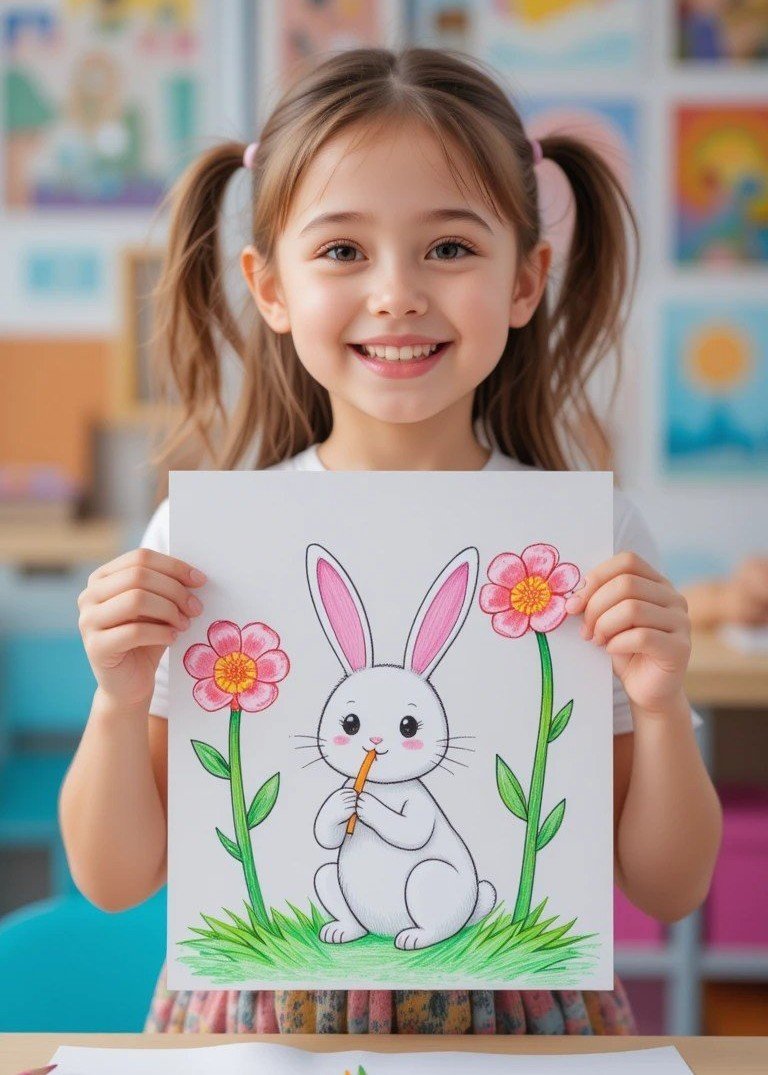
Please make sure both your face and your beautiful artwork are clearly visible in the photo, just like these examples:



Select the student account that belongs to you.
Didn’t find your account? Get help on WhatsApp
Are you sure you want to securely log out of your student portal?
You have no pending corrections right now. Keep up the good work!
Loading student artwork...
Preparing the Social gallery